 Evgeny Tabolich
3D content release platform
Scalable workflows for map assets — not one-off folder chaos.
Decision
Web app + cloud storage + Jira — not Git LFS, not a walled PM tool.
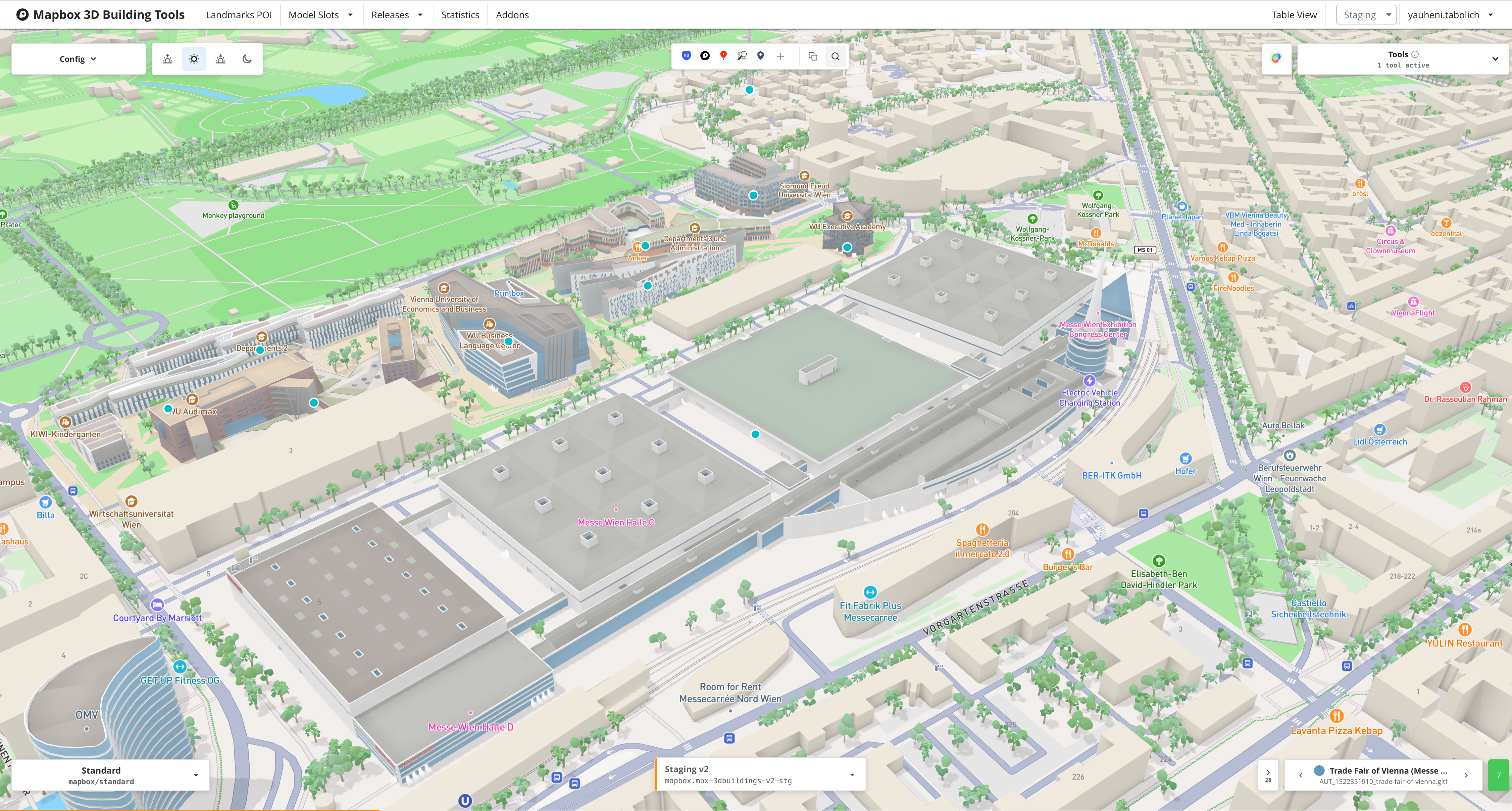
Context
When the team is small and you iterate quickly with engineers, lightweight sharing is enough: corporate drives, Dropbox-style tools, whatever gets GLBs from A to B. A purpose-built 3D content system sounds right on paper, but it implies IT integration, dedicated support, and industry-grade ops before you even know whether the product bet pays off.
We did not start there. We started with S3 and a direction everyone could agree on: iterations had to stay artist-friendly, we had to see models in context, and uploads had to fit the same processing path the map actually uses - not a random preview mesh.
First wedge: upload, validate, ship to the map
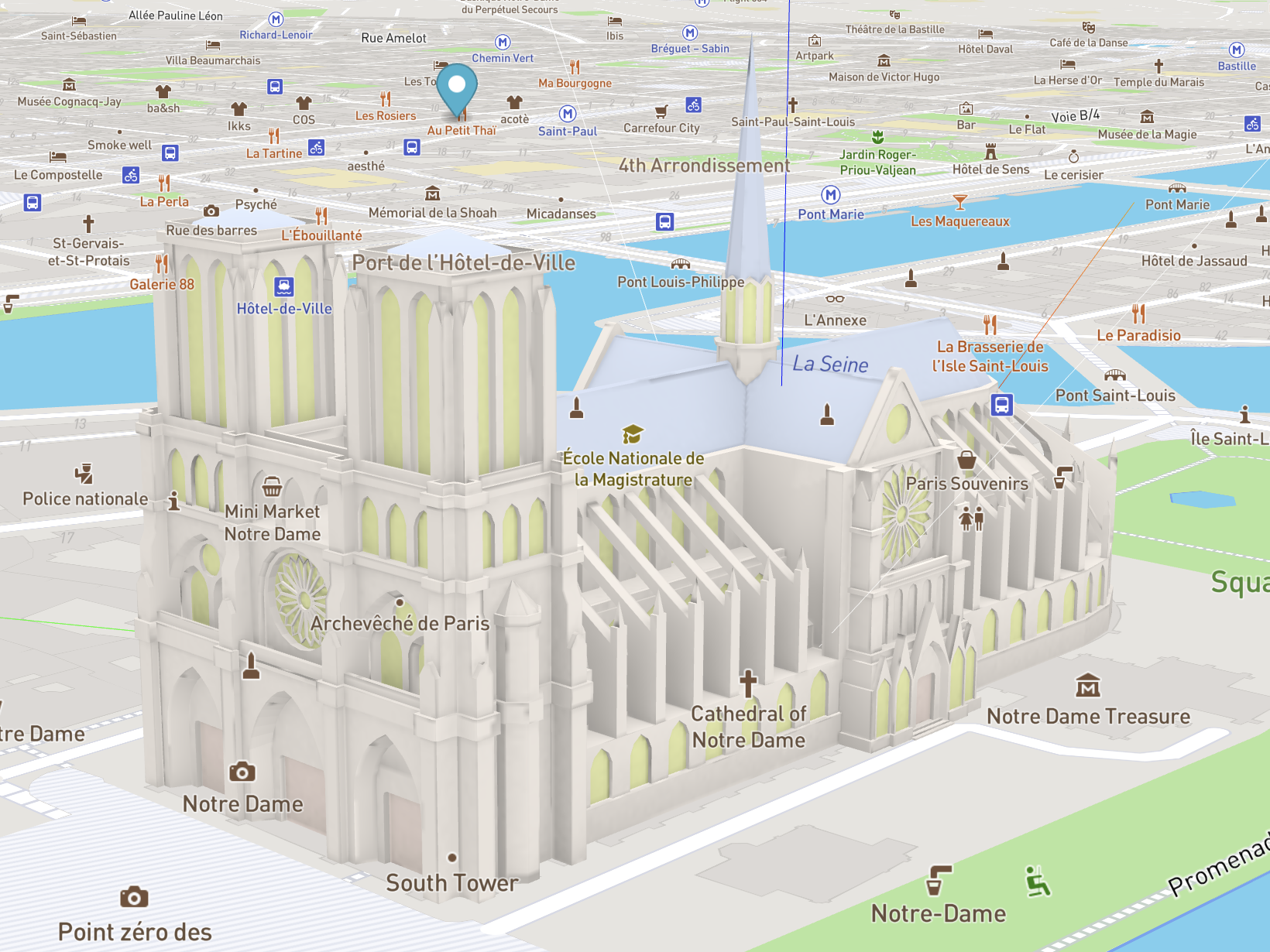
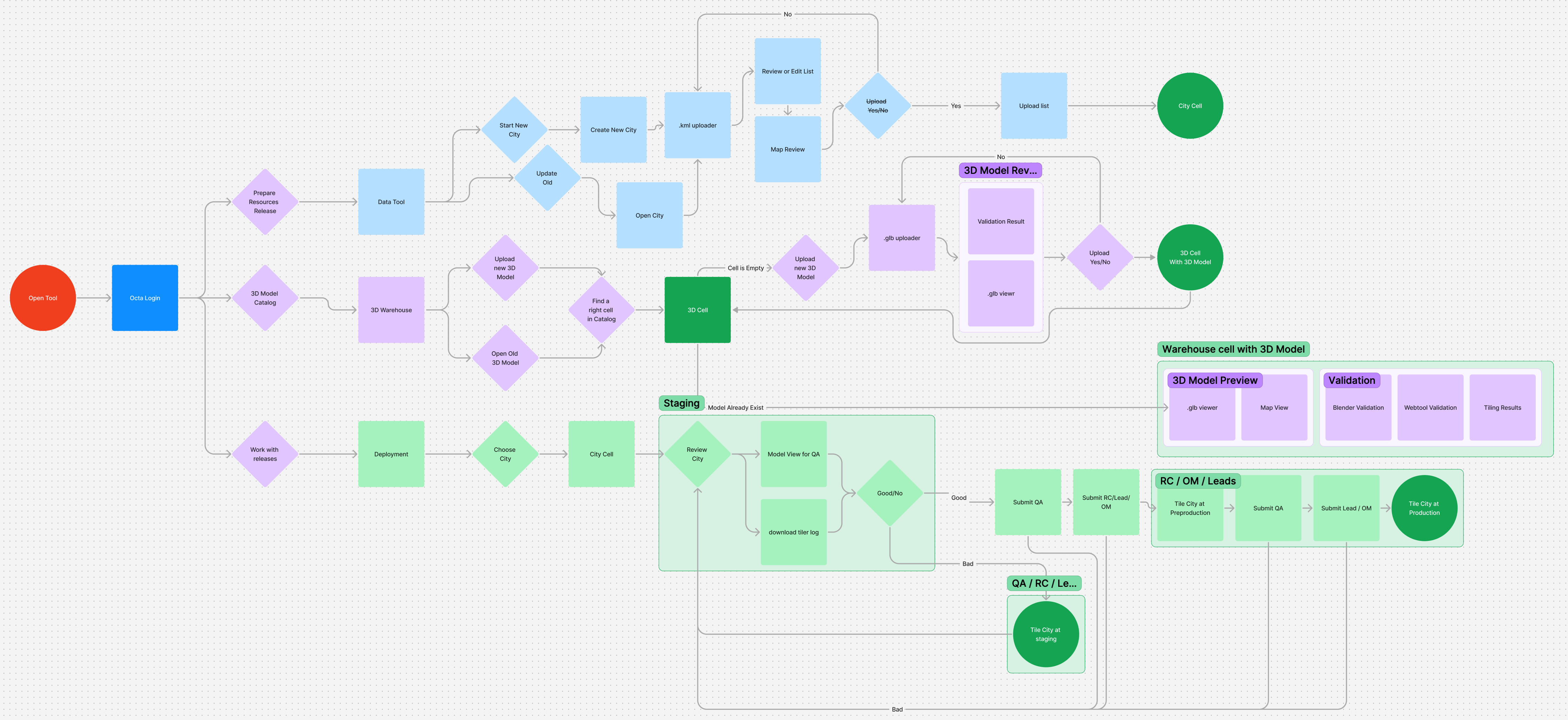
The first version was intentionally simple: a web UI to upload a model and preview it in map context. Early on, review and validation were mostly manual. As the pipeline matured, we added automated checks so only assets that pass the bar move into processing and onto the live map — a real publishing path, not a parallel “fake” preview.
Early success meant “upload, inspect, pull back if needed.” As model count and headcount grew (the 3D org moved toward dozens of people), it was obvious we needed a product at scale — not a bigger spreadsheet.
Inventory
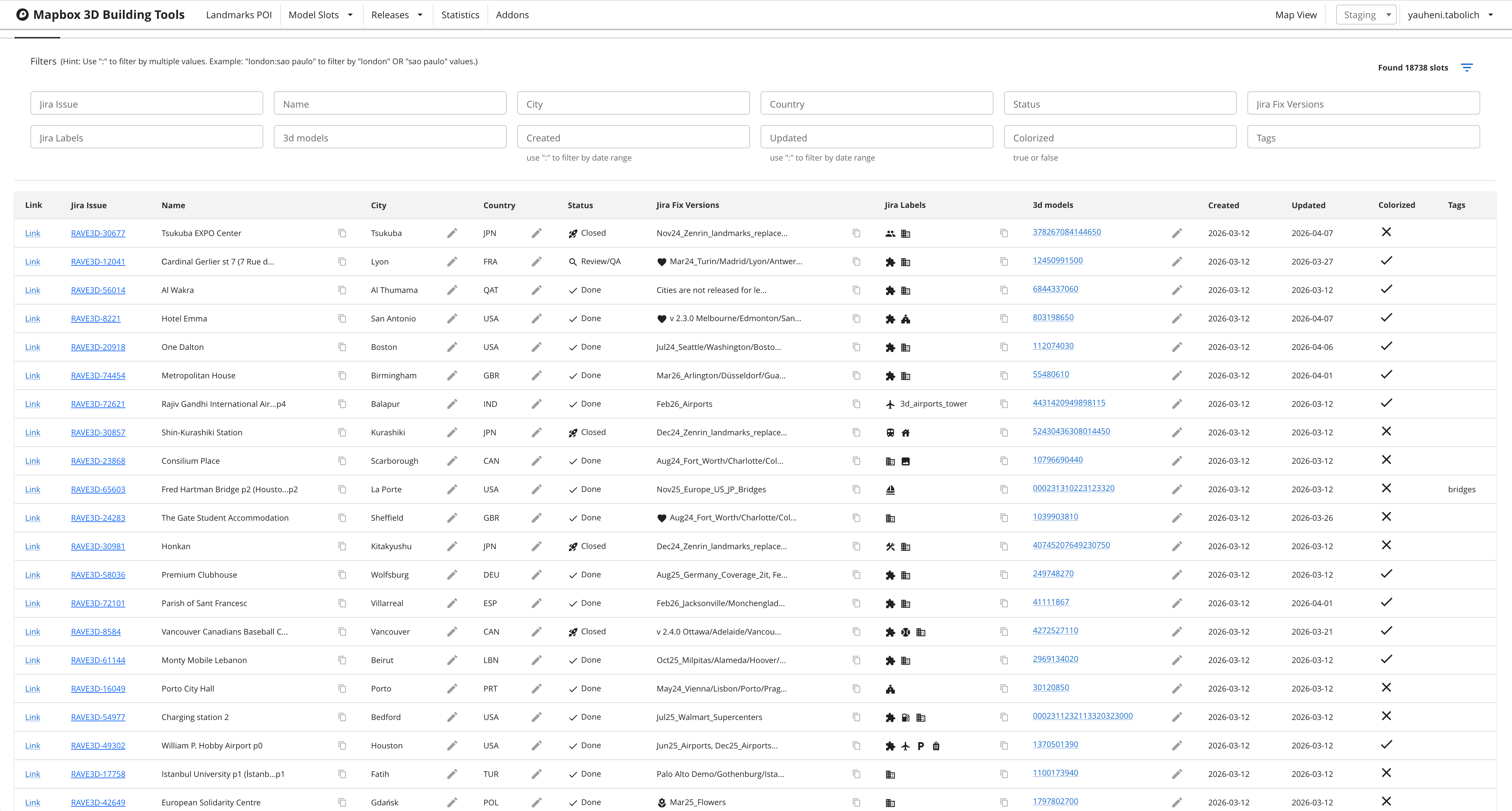
The web surface became the system of record for what exists, what passed checks, and what belongs to which release - before anyone opens Blender or a ticket.
Constraints we owned deliberately
The company has patterns like Git LFS for large binaries. We did not put this pipeline on that stack. We stayed on cloud storage and grew the web product around it — checks, versioning, Jira, production paths — without asking artists to treat publishing like a software repo.
We also chose not to build a full-blown internal project-management product for every model status. Roadmap already lived in company channels; a walled garden would isolate artists from the org. The bet: plug into Jira for release-scoped work, and own only map integration, validation, and deploy mechanics.
Hardening the core
We invested in validation that tightened over time - from manual gates to automated server-side checks - plus versioning, how models attach to the map, and ways to verify them end to end. Those foundations mattered long before the UI looked “enterprise.”
General availability and production releases
As the program approached general availability, “it works in a demo” stopped being enough. We needed a release workflow for production tilesets: dependencies, sign-offs, and coordination with other teams - so pushing buildings live stayed predictable and safe, not a heroic manual transfer.
After the bureaucratic and technical prerequisites were in place, we designed the release path from staging-style environments into production tilesets. That turned an ad-hoc upload tool into something operators could trust.
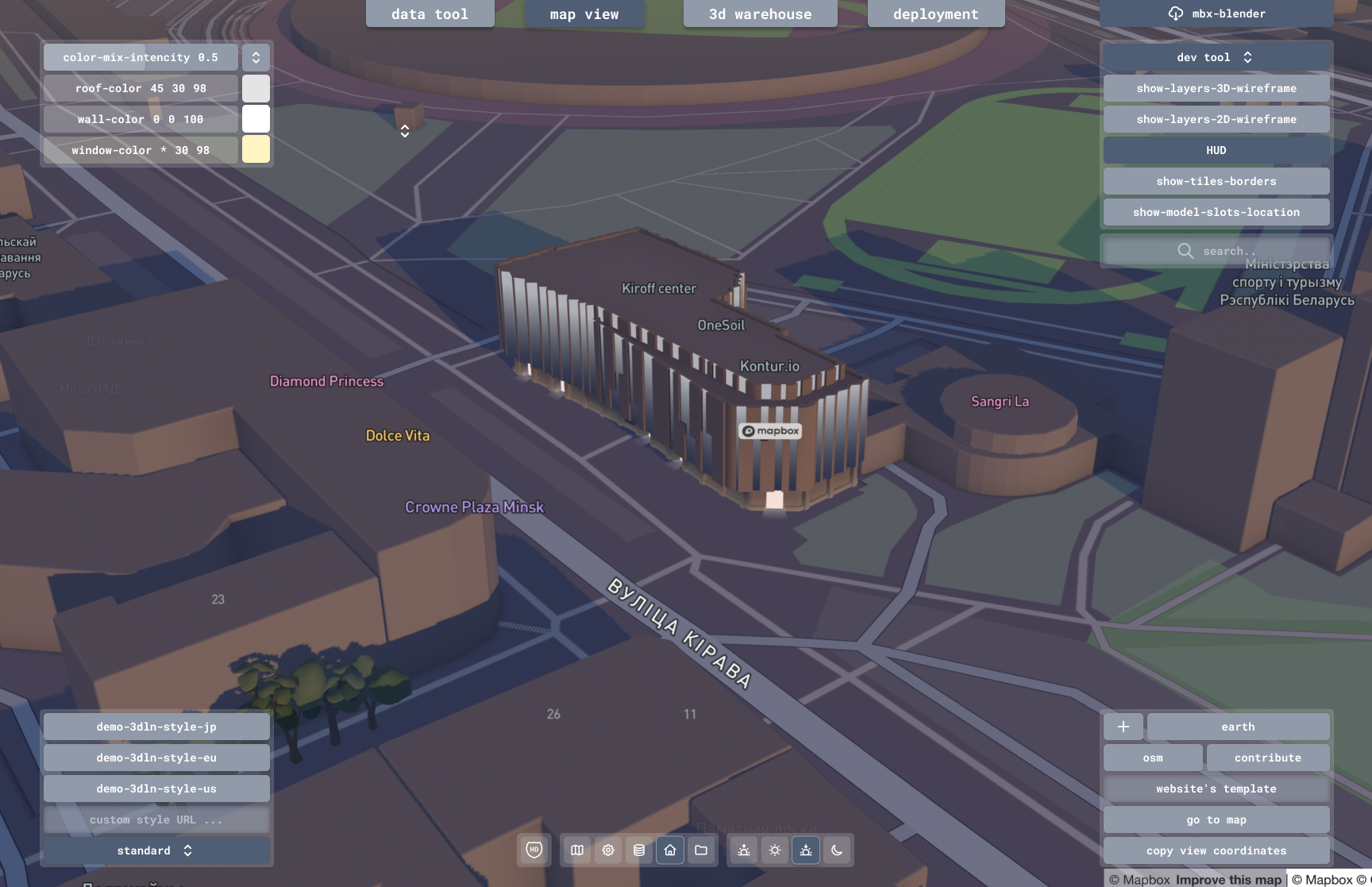
Blender: fewer handoffs, fewer surprises
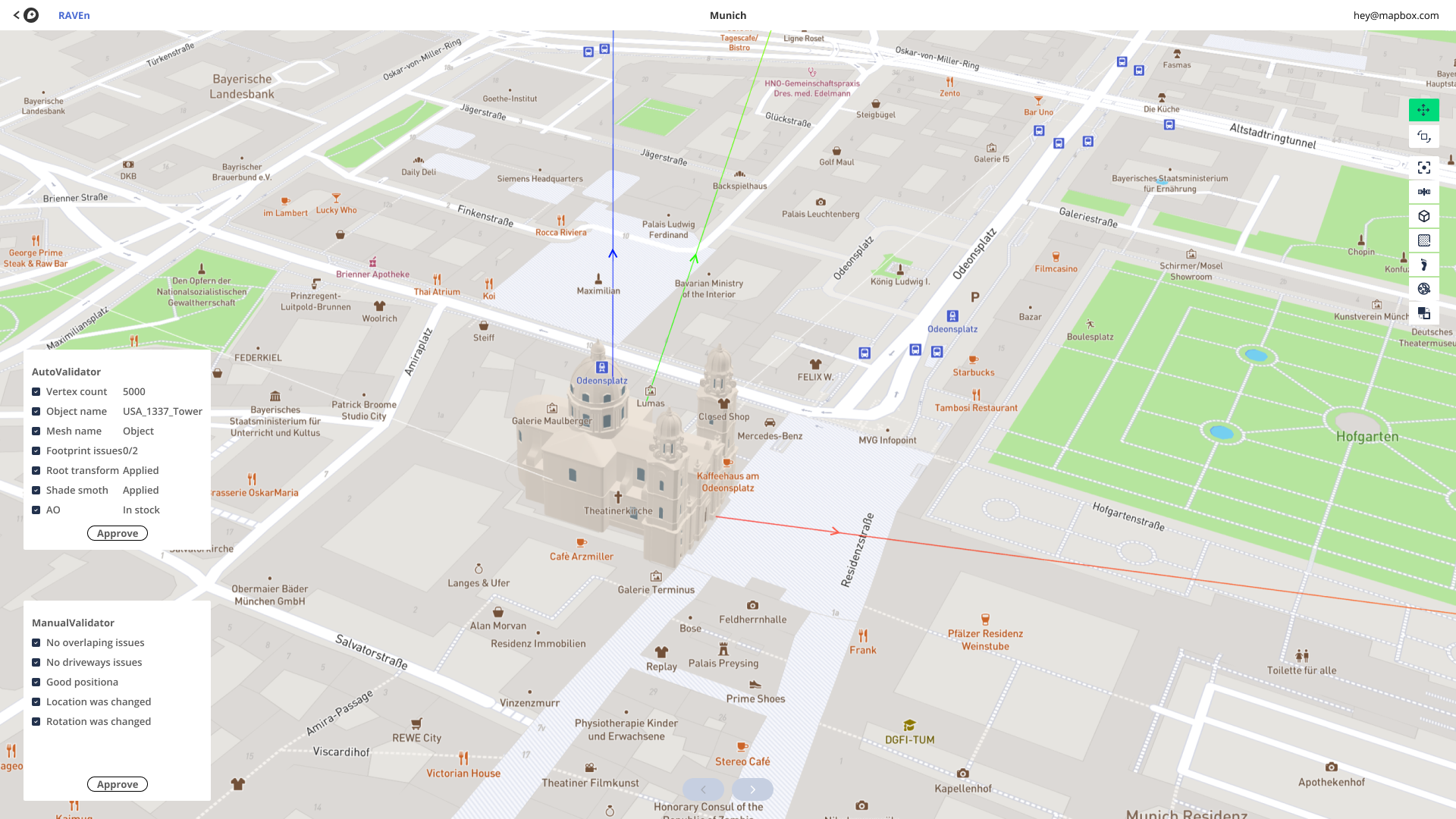
Manual export-and-upload loops lose information. We extended an existing Blender validation add-on that already encoded our slightly non-standard pipeline rules, then layered direct upload into cloud storage so artists could send approved work straight into the same funnel the web tool consumed.
Checks run in the add-on and again on the receiving service - defense in depth for a pipeline where a silent mismatch is expensive.
QA and Jira at release scale
Automation catches a lot; it does not catch everything. As throughput grew, we brought in QA reviewers who could apply a checklist and a second pair of eyes - especially for issues our detectors still miss.
We shipped a QA-facing interface: move between models in a release, upload and download where needed, and open work for artists when something fails review.
Releases in Jira sync with releases in the tooling, so we always see which models belong to which train, whether content is ahead or behind the release, and what still blocks ship. That visibility replaced tribal knowledge in chat threads.
What the platform became
What began as “upload and validate” grew into a coordinated building-tools surface - a few major capabilities working together:
- Placement and intake. Lists of candidate locations (from internal ranking and data work) flow into locations in the tool. Work ties to Jira so tasks land with the right 3D teams and leads can balance load across two artist groups.
- Preview and upload. Models pass through local preprocessing so previews match what the map will render - both in Mapbox GL JS and native clients we care about.
- Icons. Pipelines generate snapshots from 3D so artists can tune icons and priorities; a building can carry the right iconography for its zoom and importance tier.
- Release management. Review what is in a release and promote assets across environments - development, staging, pre-production, production - so demos and hardening happen without mixing unrelated states.
- Debug. Shared style foundations let us inspect locations, compare sources, and forward findings into Jira when something breaks in the wild.
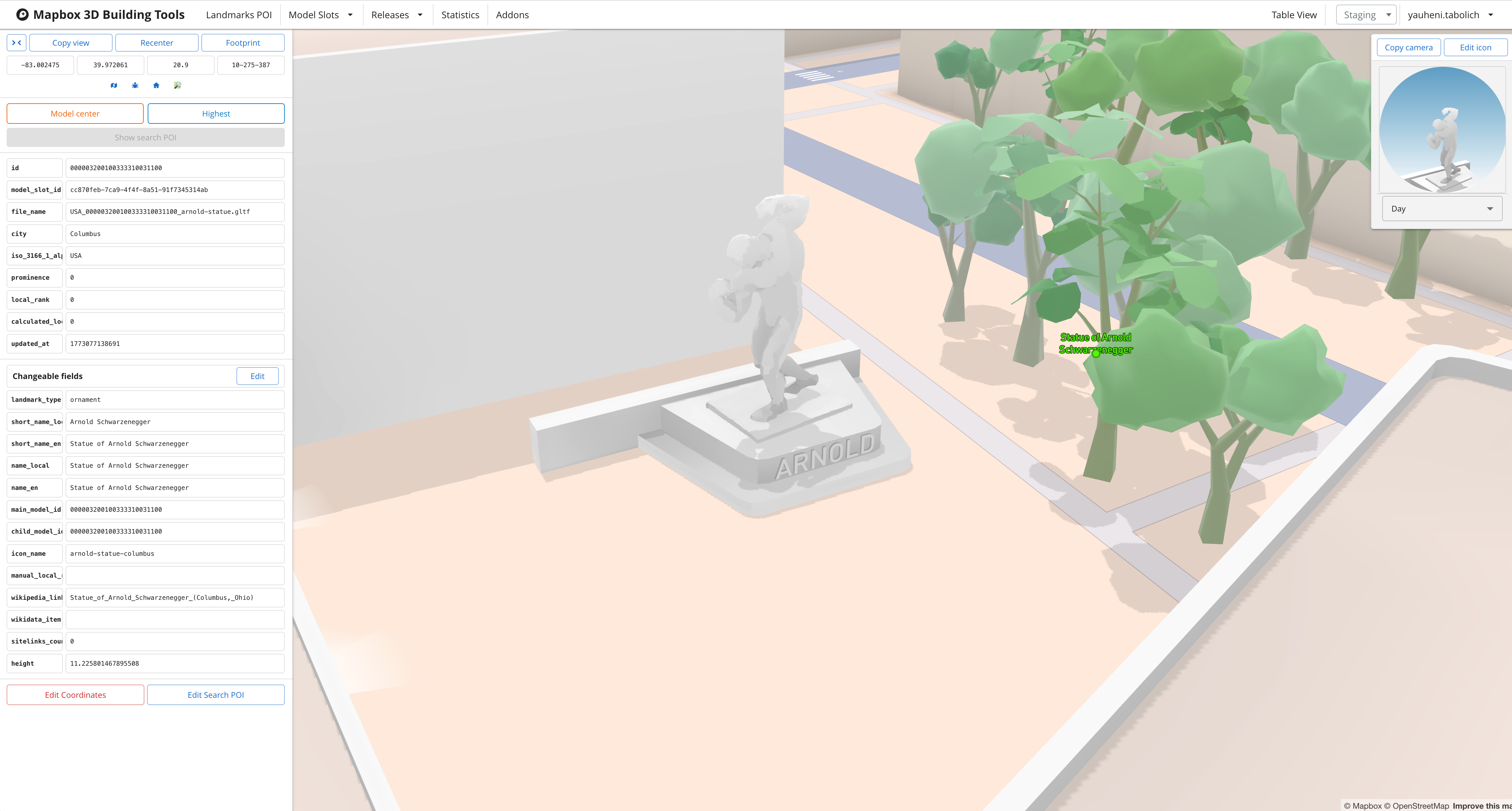
Review modes
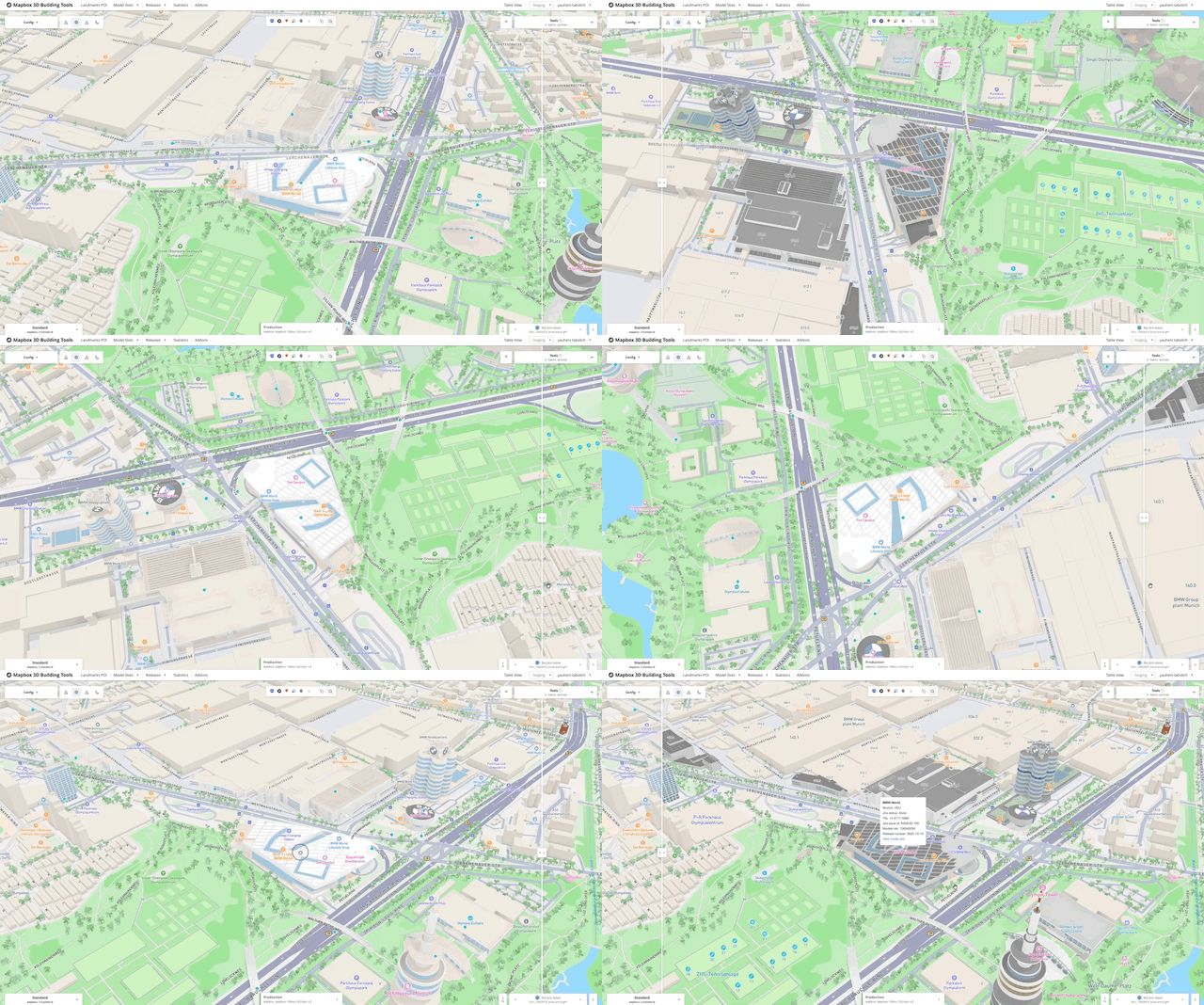
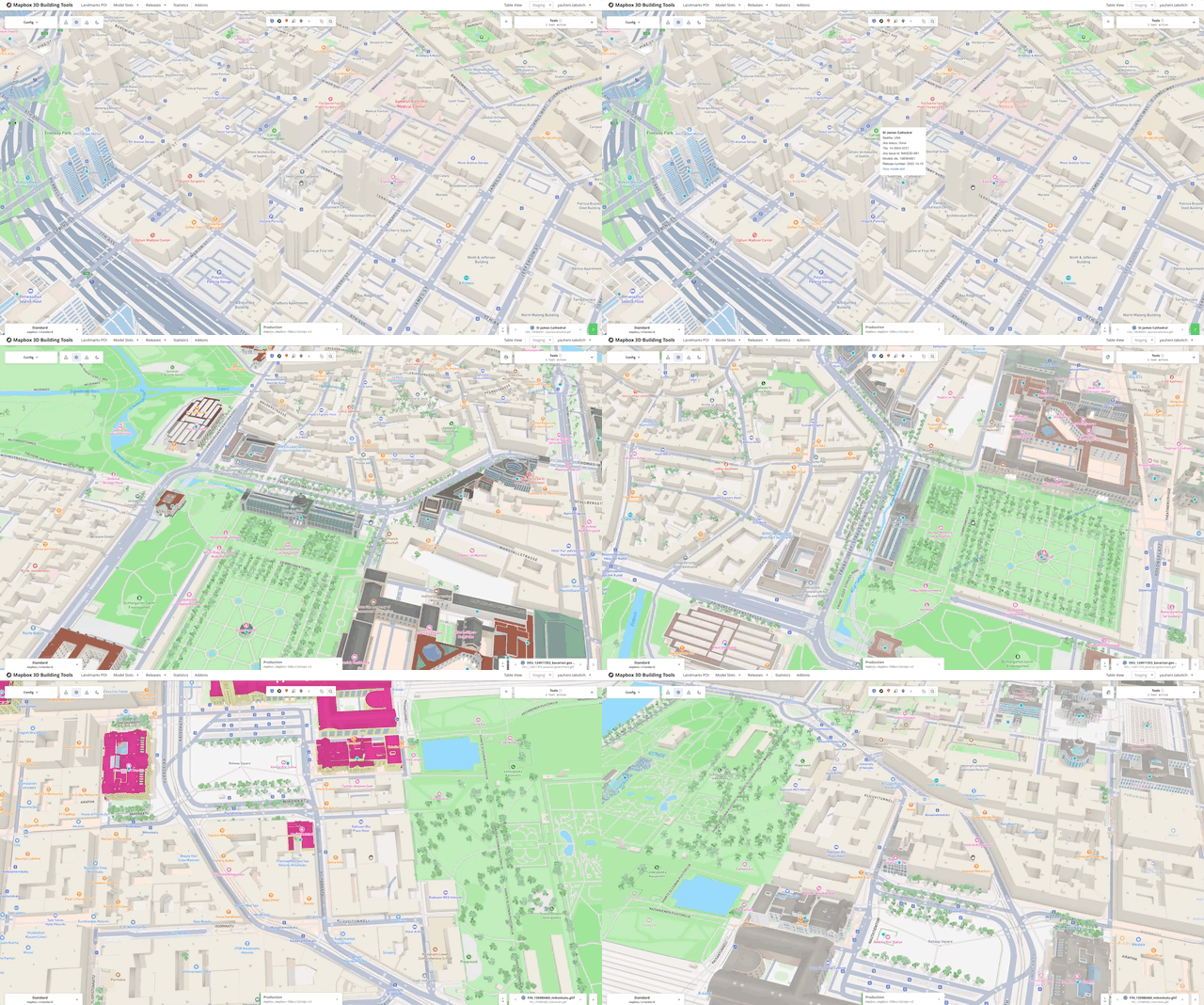
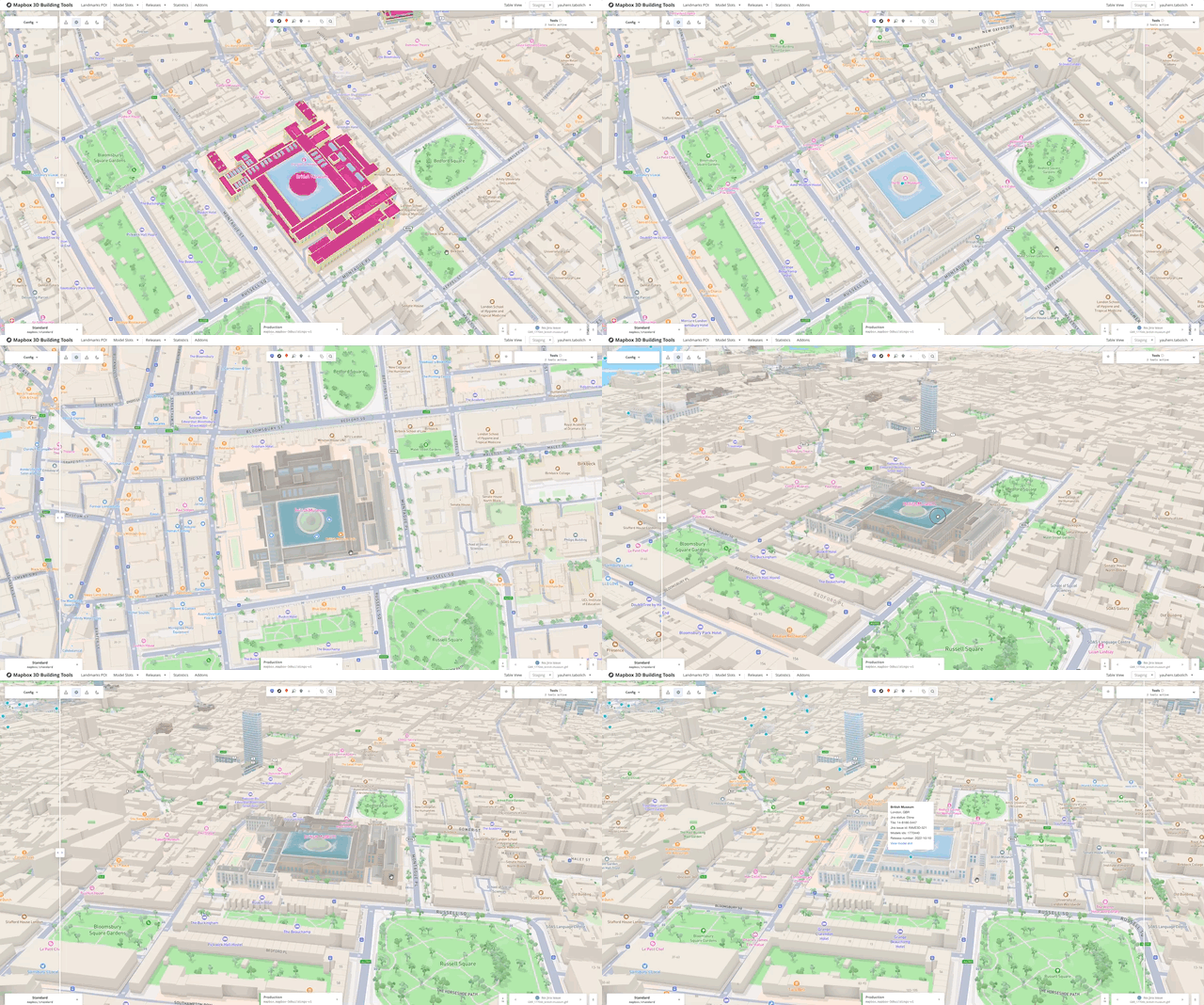
Beyond static preview, we added ways to stress-test readability: lighting presets, color overrides for materials and logical parts, split view with Jira context while orbiting a landmark, fast model-to-model review, and compare mode after search - so QA and art can stay in one surface end to end.
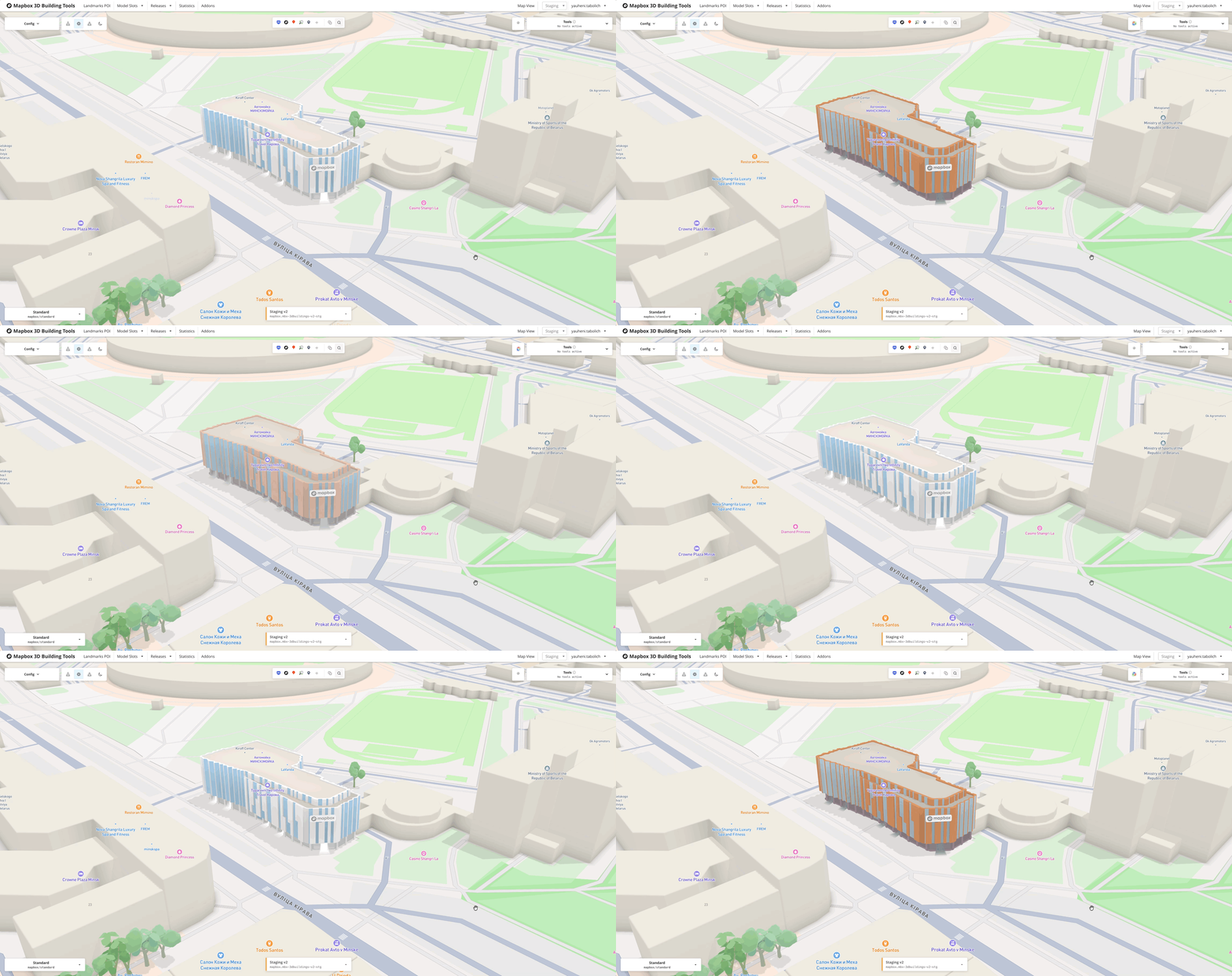
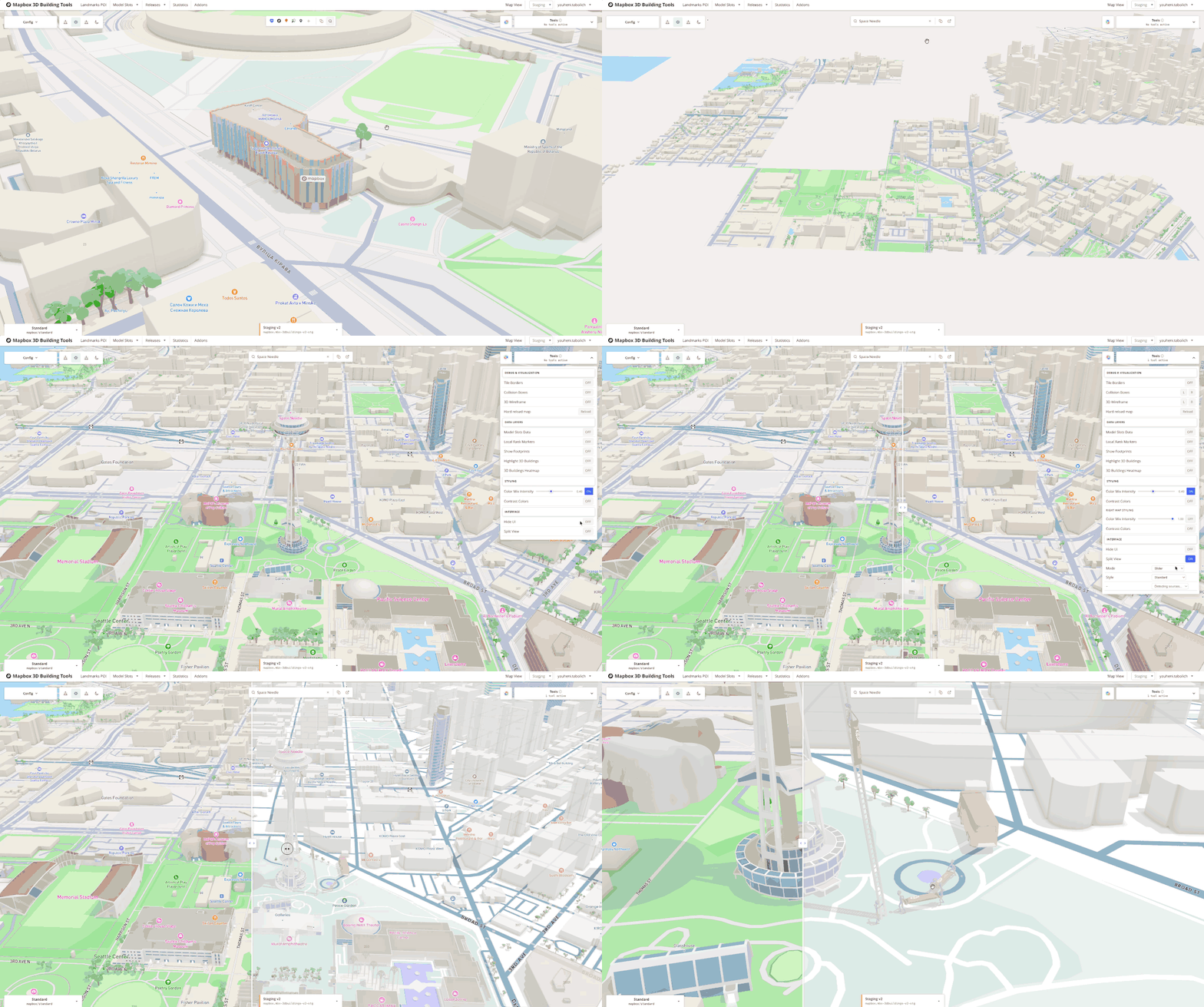
Light preset: same model under different lighting before sign-off.
Who uses it
Today the stack is not “just for 3D.” Alongside artists, leads, managers, and QA, rendering engineers, map designers tuning styles, motion designers, and other designers contributing to the product use the same previews and workflows - one place to reason about how 3D reads on the map.
Outcome
Chaotic folders became a scalable publishing workflow for interactive map content: one system of record, Jira-aligned releases across four environments (development through production), and automated checks where we used to rely on manual review alone. Artists, QA, rendering engineers, map designers, and motion designers use it daily — not only the 3D content org. Broken uploads dropped; everyone shares a clear picture of what ships when.